
If you want to learn touch typing online, my strongest recommendation is to follow a course rather than jump randomly between speed tests. A test tells you what happened today; a course teaches the movements that can improve tomorrow.
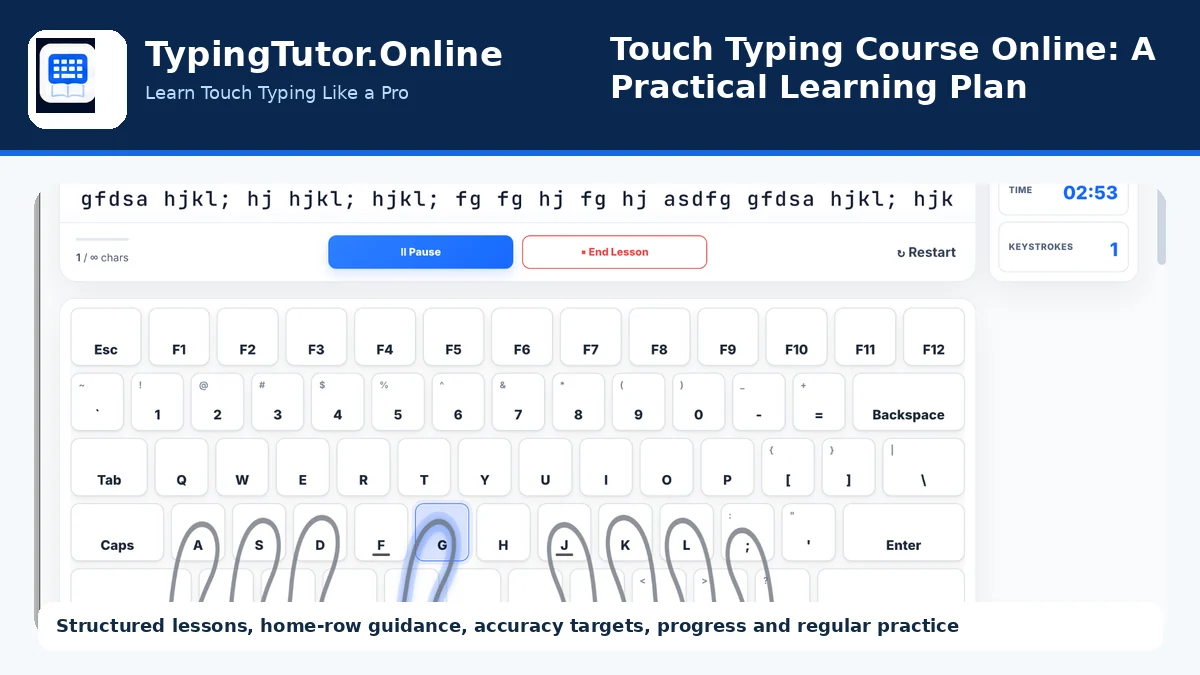
TypingTutor.Online currently provides a structured 60-lesson course that begins with basic home-row work and gradually introduces more of the keyboard. It also includes progress information, tests, games, certificates, daily-practice goals, and visual guidance. That combination is useful because you can learn, practise, measure, and review in one place.
What a touch typing course should teach first
A beginner should learn where each finger belongs before trying to type paragraphs. Start with the home row, especially the F and J anchor keys, and learn to return the fingers to their starting positions after each reach.
The next stage is gradual expansion: additional home-row keys, top-row keys, bottom-row keys, capitals, numbers, punctuation, symbols, words, sentences, and longer practical text. A course works best when each new step uses skills learned earlier instead of treating every lesson as a separate exercise.
My recommended daily plan
- 2 minutes: settle your posture and place your hands correctly.
- 6–10 minutes: complete the current structured lesson with accuracy as the main goal.
- 2–5 minutes: repeat weak keys or difficult combinations.
- Optional: take a short test after practice to see how technique transfers to normal text.
Consistency matters more than exhausting yourself in one session. If your hands become tense or your accuracy starts dropping quickly, stop and return later.
Use accuracy as the gate to higher speed
Speed is exciting because WPM is easy to compare, but it can become a distraction for beginners. I suggest setting an accuracy target first. When you can type the lesson content with a steady rhythm and fewer errors, then try to move a little faster.
TypingTutor.Online uses accuracy targets and lesson progress feedback, which can help prevent the common habit of rushing through new keys before they are comfortable.
Do not skip lessons just because they feel easy
Easy lessons are where you build rhythm. If you only practise difficult keys, your typing can become tense and uneven. A good course mixes familiar patterns with new ones so the brain learns how to move smoothly across the whole keyboard.
Repeat lessons when the movement is not automatic
Repeating a lesson is not failure. It is often the fastest way to fix a weak movement before it becomes a permanent habit. If one finger keeps reaching for the wrong key, slow the lesson down and repeat the same pattern until the correct finger begins to move naturally.
Use tests, games, and certificates at the right time
Tests are useful for measuring transfer: can you use the skill outside a lesson? Games can make repetition more enjoyable, especially when you need extra work on weak keys. Certificates and milestones can provide motivation. But I would keep the structured course as the main path and use those features as support.
What progress should feel like
At first you may feel slower because you are forcing yourself to use the correct fingers. Then individual key positions become familiar. After that, common letter combinations start to feel like one movement instead of separate decisions. That is the stage where touch typing begins to feel natural.
My advice before starting
Choose a realistic practice goal, keep your eyes on the screen, use the correct fingers, and do not compare your first week with someone else's years of experience. Measure your own accuracy, comfort, and consistency over time.
If you want a browser-based course with guided lessons and supporting tests and games, visit TypingTutor.Online and begin with the current lesson sequence.